Extracting data from P&L statements
Small businesses export profit and loss statements from QuickBooks, Xero or an accountant's spreadsheet, each with its own chart of accounts. SBA and commercial lenders collect year-to-date and prior-period statements from every borrower, as PDF exports uploaded to a portal or sent by email.
Credit analysts need total income, total expenses and net income for each period. Spreading software maps those into the lender's standard statement, where cash flow and debt service coverage are calculated for the credit memo.
What makes profit and loss statements hard
Each business names its accounts
Accounts nest two or three levels deep, and a name like Job Materials can appear under both income and expenses in the same report.
Periods side by side
Comparison reports set the current and prior period in adjacent columns, and many lines are blank in one column and filled in the other.
Losses printed many ways
A loss can print with a minus sign apart from the currency symbol or in parentheses, depending on the accounting software that produced it.
Parse, extract, verify
Parse
Parse turns the document into reading-order Markdown and a hierarchy of blocks (text, tables, figures), and grounds each block to its exact location on the page.
Extract
You define the fields in a JSON schema, and Extract returns their values in a consistent, structured format, each linked back to where it appears in the Markdown.
Verify
Each value links back to where it appears, down to the character range in the Markdown, and the page and bounding box in the source document, so every result can be verified.
One business profit and loss statement, end to end
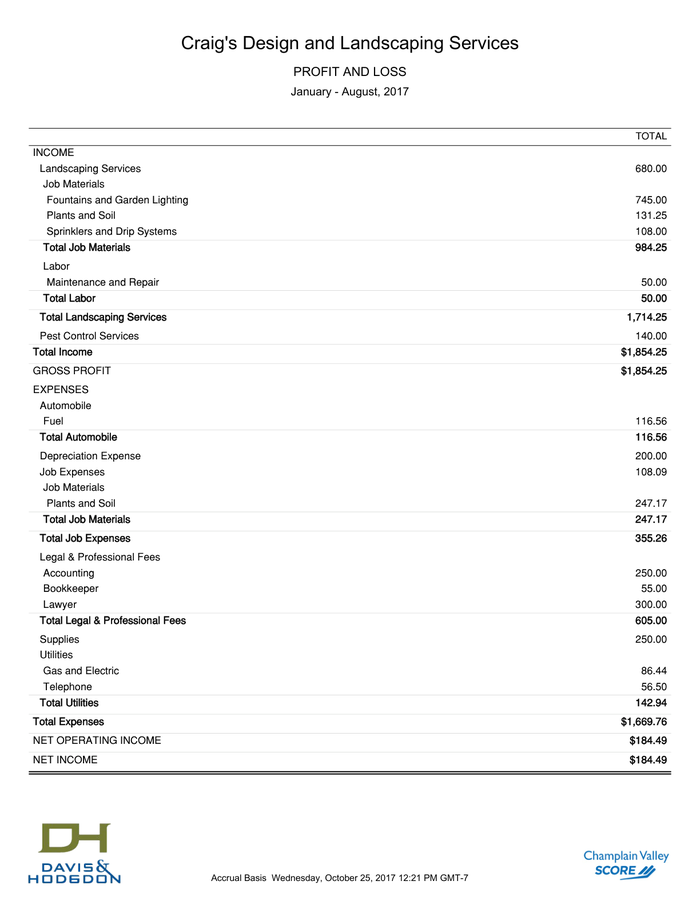
About this document: Two QuickBooks profit and loss reports for Intuit's fictional sample landscaping company, from a small-business accounting workshop handout by a SCORE chapter and a CPA firm. Two portrait pages: a month-over-month comparison on page 1 and a year-to-date report on page 2. Page 1 is featured. Every figure is demonstration data.
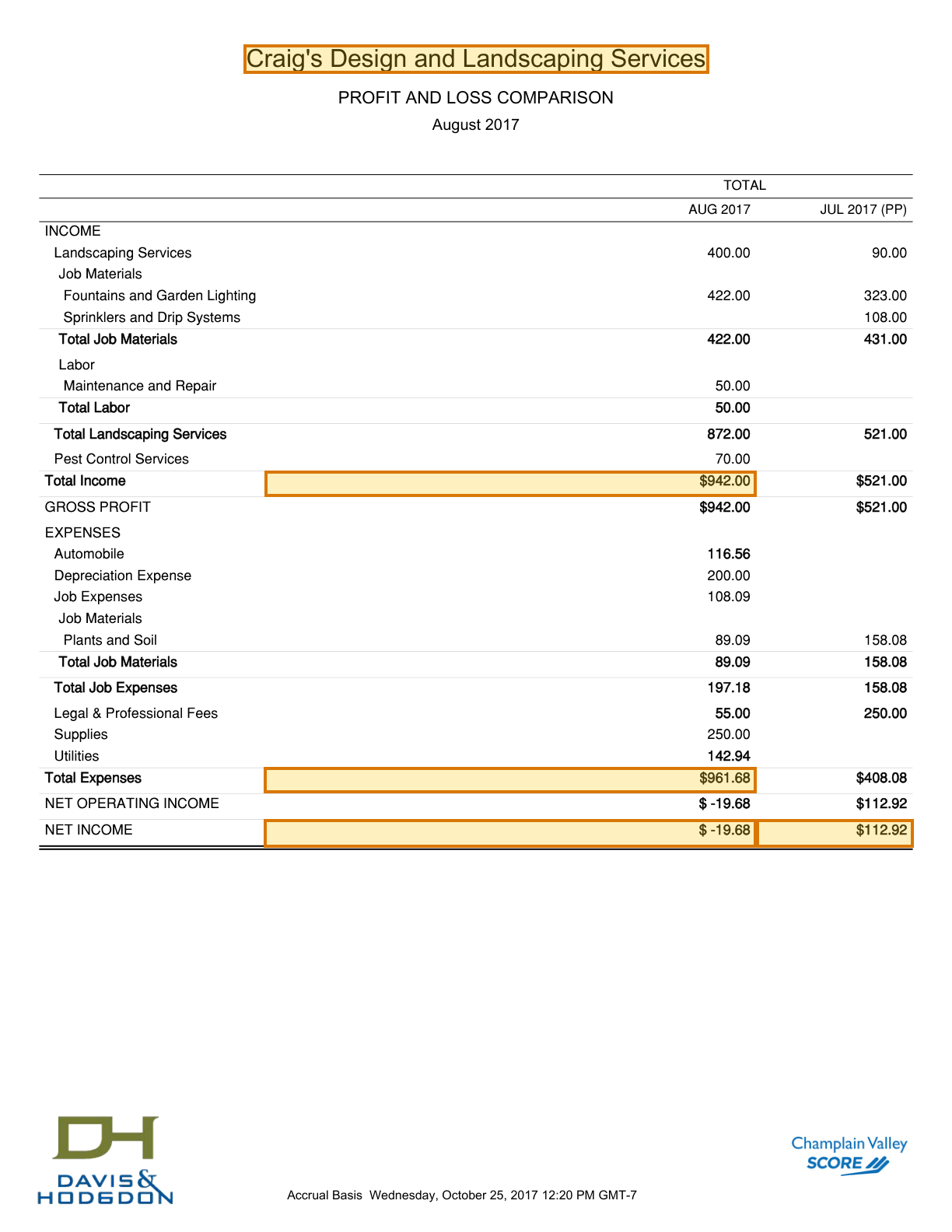
Processing objective: The objective is to read one month's result and set it beside the month before. Income less expenses gives a small loss for the current period, printed beside the prior period's profit on the same row. Each value grounds to the cell in its own column.
Demonstration fields: Company, Total income (Aug 2017), Total expenses (Aug 2017), Net income (Aug 2017), Net income (Jul 2017)
The document
2 of 2 pages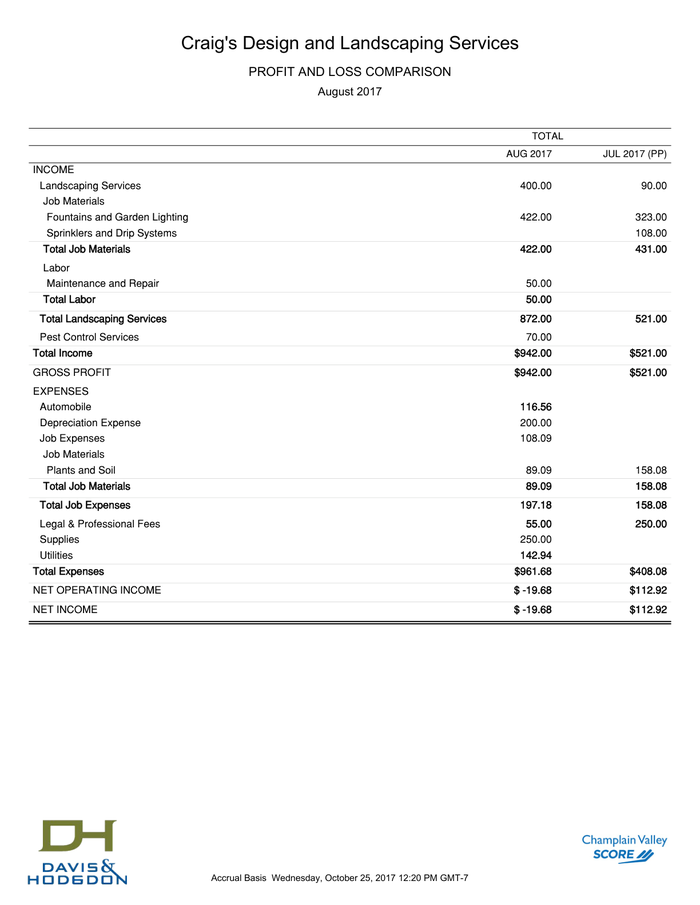 Page 1shown below
 Page 2
Where each value came from
company_name
{
  "value": "Craig's Design and Landscaping Services",
  "page": 1,
  "range": {
    "end": 39,
    "start": 0
  },
  "box": {
    "xmin": 0.25641,
    "ymin": 0.03641,
    "xmax": 0.74439,
    "ymax": 0.05992
  }
}reports[0].columns[0].total_income
{
  "value": 942,
  "page": 1,
  "range": {
    "end": 902,
    "start": 895
  },
  "box": {
    "xmin": 0.27806,
    "ymin": 0.38214,
    "xmax": 0.79491,
    "ymax": 0.40308
  }
}reports[0].columns[0].total_expenses
{
  "value": 961.68,
  "page": 1,
  "range": {
    "end": 1673,
    "start": 1666
  },
  "box": {
    "xmin": 0.27717,
    "ymin": 0.62303,
    "xmax": 0.79491,
    "ymax": 0.64393
  }
}reports[0].columns[0].net_income
{
  "value": -19.68,
  "page": 1,
  "range": {
    "end": 1807,
    "start": 1799
  },
  "box": {
    "xmin": 0.27701,
    "ymin": 0.66489,
    "xmax": 0.79492,
    "ymax": 0.68772
  }
}reports[0].columns[1].net_income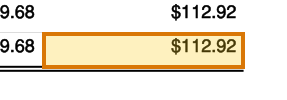
{
  "value": 112.92,
  "page": 1,
  "range": {
    "end": 1823,
    "start": 1816
  },
  "box": {
    "xmin": 0.79492,
    "ymin": 0.66491,
    "xmax": 0.95956,
    "ymax": 0.68773
  }
}
How to try it yourself
Everything on this page is reproducible. The sample, its schema, and the Parse and Extract API outputs are published. You can repeat the same two calls from whichever surface you already build on.
- Claude Skilldescribe the job; the agent writes it
- CLIno code at all
- MCPexpose ADE docs as an agent tool
- REST APIany language
- Pythonlandingai-ade
- TypeScriptlandingai-ade
Documents into data
Accurate
The best accuracy on the difficult documents other tools get wrong, such as messy scans, complicated tables, checkboxes and handwriting.
Auditable
Every answer cites its sources. Values come back with an audit trail (page, bounding box, character range) so a human can review them.
Agentic
Applies multi-step reasoning, and plans before it acts. Handles documents it has never seen before and adapts to variations.
API-first
Composable APIs that drop into any tech stack and can be called from anywhere. Easy to build on and embed in your pipelines and products.
Affordable
Cost-competitive rates with complete price transparency. Spend controls before you run, and every job reports its exact cost.
Enterprise-grade
Built for production and scale from day one. Fully observable and monitored, running securely in our cloud or yours.
Built for high-volume, high-throughput production
- Zero data retention
- Priority rate limits
- Enhanced support
- VPC and on-prem deployment
Available on Team and Enterprise plans.