Who Uses Split?

Financial institutions and insurers that receive PDFs containing multiple document types for a single customer or application.

Healthcare systems ingesting patient records received as batched PDFs.

Accounting departments processing PDFs containing multiple invoices and receipts.

Organizations managing product catalogs where one PDF contains specifications for multiple products.
Not all document splitters created equal.
LLM prompting works for simple cases, but production pipelines break for very long documents or when there are hundreds of classes to detect. ADE Split is built for that reality — handling the full complexity of enterprise documents without manual intervention or silent failures.
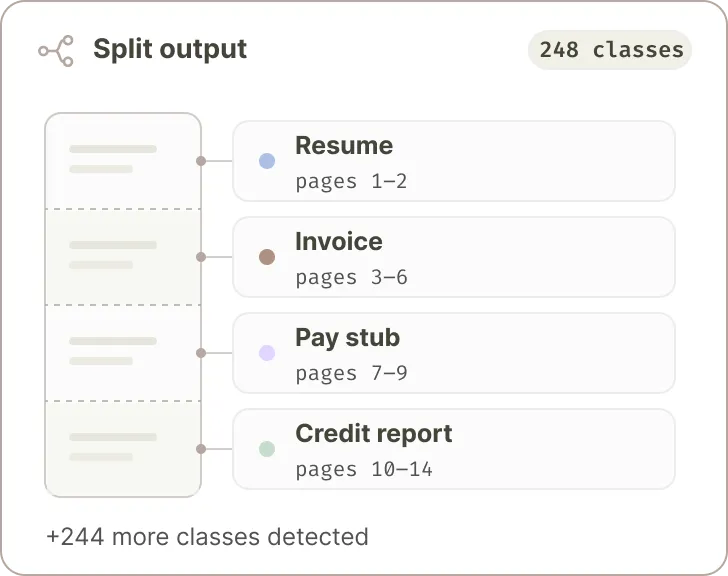
Quantity of Classes
Define hundreds of sub-document classes such as resume, invoice, pay stub, credit report, etc.
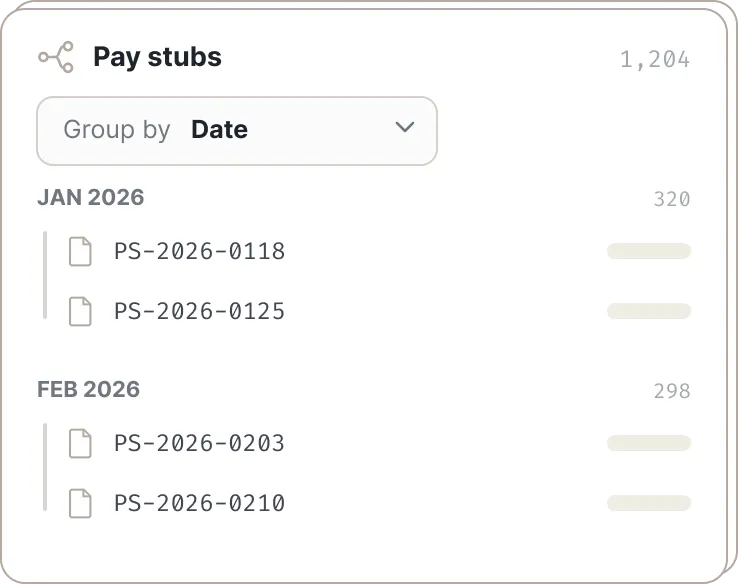
Subdivide within a Class
Provide an identifier to separate pay stubs by date, invoices by vendor, or credit scores by name.
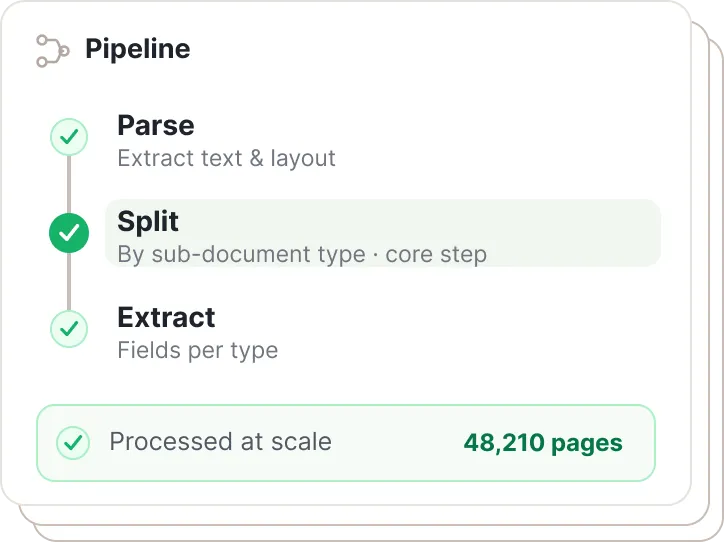
Scales to Production
Create a reusable pipeline to Parse, then Split, then Extract from each sub-document type found at scale.
What you get
- No fine-tuning or templates required
- Agentic system that plans and executes
- Developer friendly APIs
- Returns clean JSON
- Document class detection
- Page ranges for document class
- Works across languages
- Handles hundreds of pages
- Searches for hundreds of classes
- Subdivides based on identifiers
- Works seamlessly with Parse
- Works seamlessly with Extract
Built for complex, real-world documents.
Starting PDFs with hundreds of pages. Categorization schemas with hundreds of classes. Split can handle it.
Read the Docs for Split →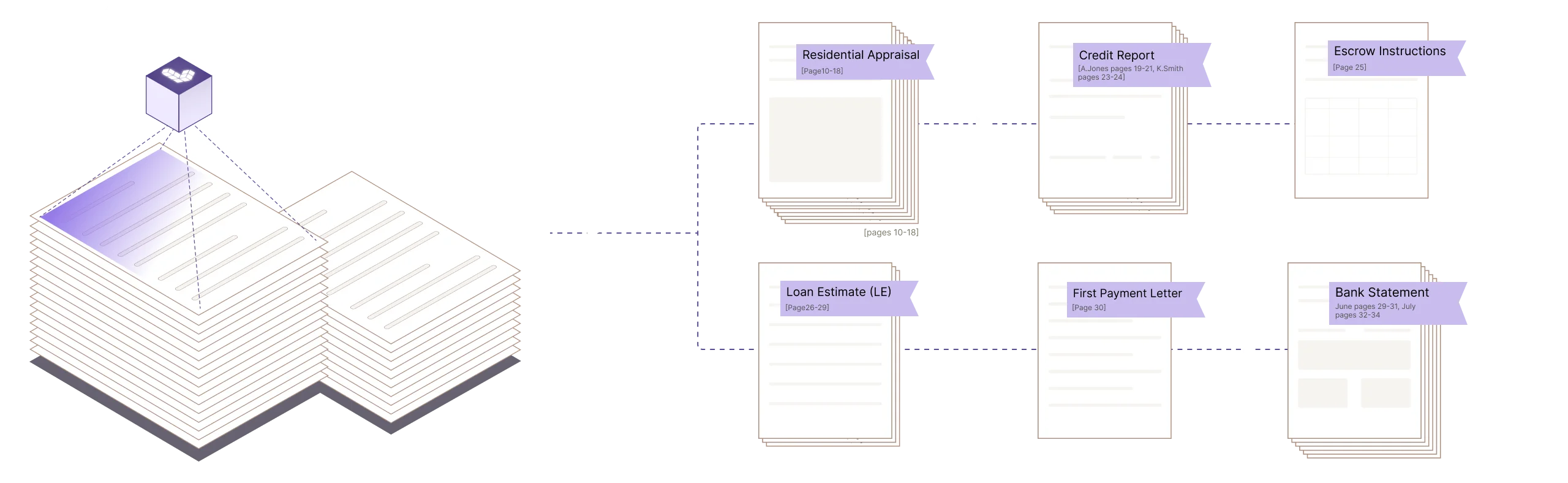
Prototype in the UI. Scale with the API.
Use the Agentic Document Extraction Visual Playground for rapid prototyping and experimentation.
Then transition seamlessly to the REST API, Python library, or TypeScript library. Split is in Preview.
Provide our Agent Skills directly to agentic coding assistants to accelerate your development.
curl -X POST 'https://api.va.landing.ai/v1/ade/split' \
  -H 'Authorization: Bearer YOUR_API_KEY' \
  -F 'markdown=@markdown.md' \
  -F 'split_class=[{
        "name": "name",
        "description": "description",
        "identifier": "identifier"
      }]' \
-F 'model=split-latest'split_class = [
{
"name":"Bank Statement",
"description": "Description goes here."
},
{
"name": "Pay Stub",
"description": "Description goes here",
"identifier": "Pay Stub Date",
}
]
split_response = client.split(
split_class=json.dumps(split_class),
markdown=parse_response.markdown,
model="split-latest",
)


Frequently asked questions
Split returns nested JSON which contains the page ranges for each sub-document class and each identifier.
Split v1 has a limit of 19 document classes. Split v2 has been tested successfully with over 600 classes.
The Split API separates a single file into multiple documents based on your split rules, identifying document boundaries and classes within a file. The Classify API assigns a class label to each page in a document but does not split it.