Use Cases for Section

Scope extraction queries to specific sections of a document (for example, “extract all tables in the Claims section”).

Use section-aware chunking instead of sliding-window chunking for more relevant retrieval results for RAG and search.

Generate a navigable TOC for long documents such as books, reports, technical manuals, and insurance policies.

Provide context windows organized by section rather than arbitrary token splits for LLM-based applications.
Not all sectioning tools created equal.
Section generates a hierarchical table of contents (TOC) from parsed documents, automatically inferring structure and supporting custom natural-language guidelines. It outputs both structured JSON and Markdown TOCs, enabling easy navigation and integration into extraction, RAG, and review workflows. Unlike many tools, it links sections to specific document blocks and supports programmatic and visual workflows.
Understanding of semantic structure
Examines the document holistically to understand the content and relationships across pages.
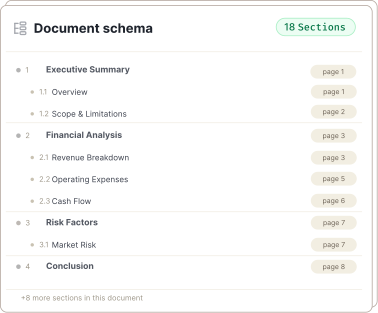
List of sections and subsections
Returns a flat, reading-order list with title, hierarchy level, section number and location.
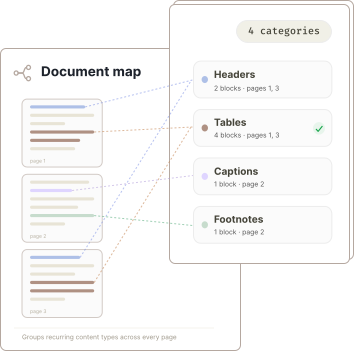
User-defined groupings
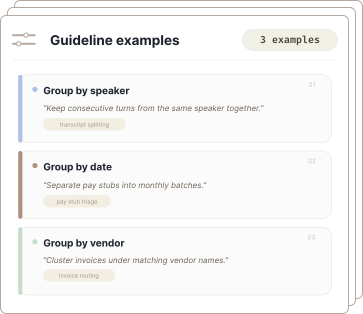
The optional guidelines parameter gives users control over how sections are grouped.
What you get
- An automated table of contents for any document
- Document structure detection
- Clean JSON with starting location for each section
- Agentic system that plans and executes
- No fine-tuning or templates required
- Developer friendly APIs
- Enables use cases that require retrieval by section
- Parameters to guide the output
- Handles hundreds or thousands of pages
- Understands deeply nested hierarchies
- Automatically generates section names
- Works seamlessly with Parse
Built for complex, real-world documents.
This detailed report has logical sections and subsections. The Section API detects the overall structure and generates the nested table of contents.
Read the Docs for Section →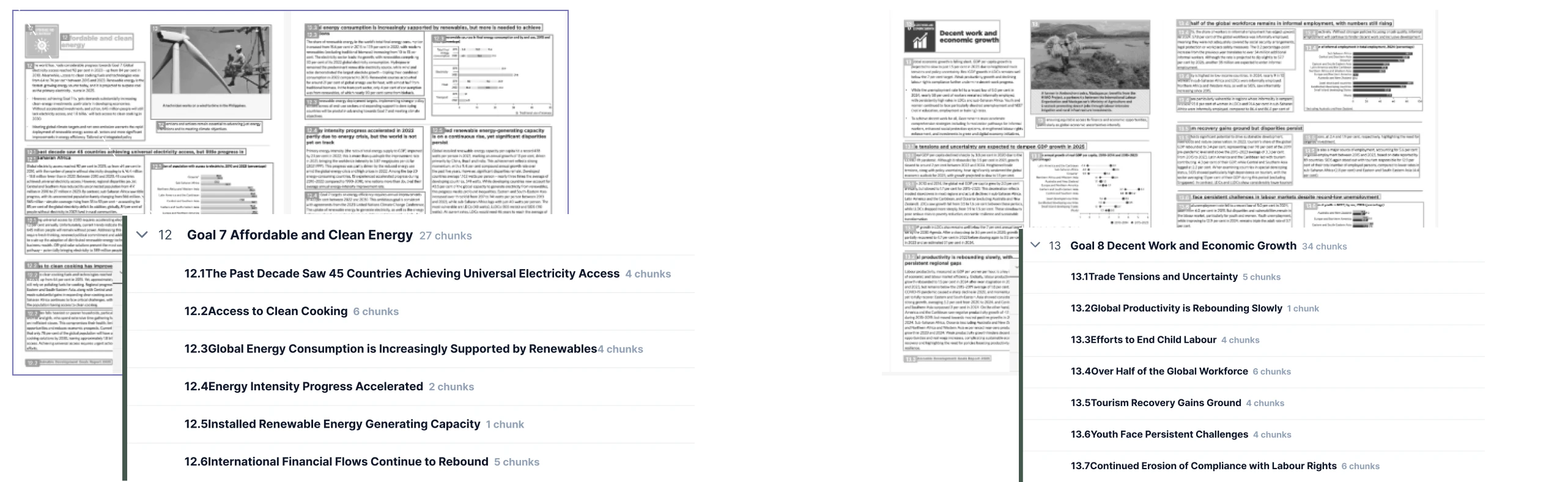
Prototype in the UI. Scale with the API.
Use the Agentic Document Extraction Visual Playground for rapid prototyping and experimentation.
Then transition seamlessly to the REST API, Python library, or TypeScript library. Section is in Preview.
Provide Agent Skills directly to coding assistants to accelerate your development.
curl -X POST 'https://api.va.landing.ai/v1/ade/section' \
  -H 'Authorization: Bearer YOUR_API_KEY' \
  -F 'markdown=@parsed_output.md' \
-F 'model=section-latest'from landingai_ade import LandingAIADE
client = LandingAIADE()
# Section using the Markdown string from parse response
section_response = client.section(
markdown=parse_response.markdown,
model="section-latest"
)
# Access the table of contents
for entry in section_response.table_of_contents:
indent = " " * (entry.level - 1)
print(f"{indent}{entry.section_number}. {entry.title}")


Frequently asked questions
The Section API returns a flat, reading-order list of sections and subsections, each with a title, hierarchy level, section number, and a reference to the starting chunk in the parsed document.
The optional parameters for the Section API are guidelines (natural-language instructions to control how sections are grouped) and model (to specify the section model version). If omitted, guidelines are not applied and the latest model is used.
To use the Section API, you must provide the Markdown output from the Parse API as input. This Markdown must include reference anchors so the Section API can map sections back to document chunks.